We open-sourced a Claude Code plugin for the NetSuite AI Connector
su-ns-harness caches NetSuite metadata, saves big results to files and blocks SuiteQL that returns wrong totals. It's free and UPL-licensed.
Suite UtilsHow we write these guides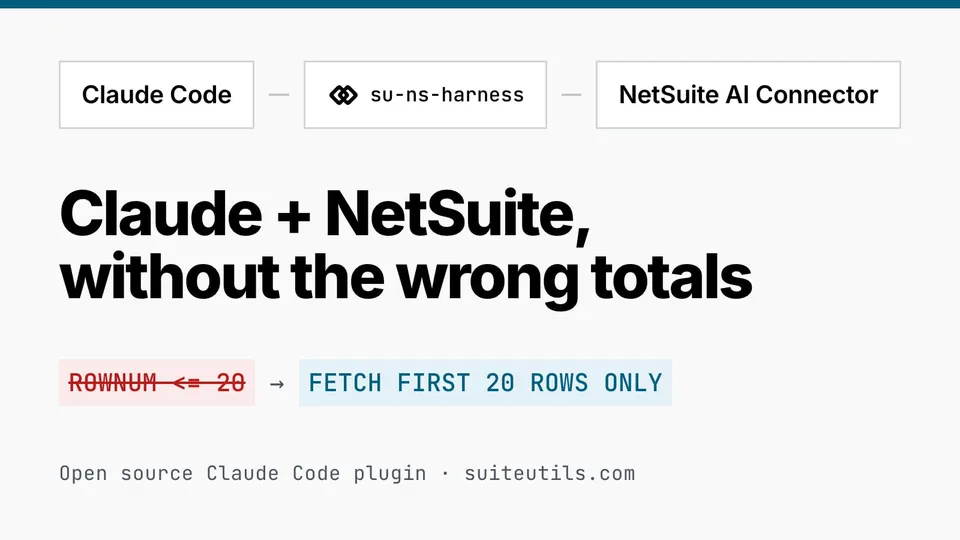
On this page
Oracle's NetSuite AI Connector Service lets Claude run SuiteQL, reports and saved searches against your account. It works. After a few weeks of asking it real questions, though, we kept hitting the same three problems. So we wrote a Claude Code plugin that fixes them, and today we're publishing it as open source.
It's called su-ns-harness. It's free and licensed under UPL 1.0. It runs in Claude Code: the CLI, the Code tab in the Claude desktop app, or an IDE extension.
Three problems with the connector on its own
Raw rows land in Claude's context. Ask for open invoices and the connector sends back every row. A 3,000-row result goes straight into the conversation. That uses up context Claude needs for the actual question, and it tempts Claude to add up numbers by reading them.
Metadata gets fetched again and again. The report list, the saved search list and each table's field metadata get fetched whenever Claude needs them, and every new session starts from scratch. If your account shares its integration concurrency with other integrations, those extra calls also run into rate limits.
ROWNUM returns wrong totals, with no error. Oracle publishes a skill for the connector, netsuite-ai-connector-instructions, and its SuiteQL templates cap rows with ROWNUM next to GROUP BY and ORDER BY. In SuiteQL, ROWNUM applies before grouping and sorting. So this query doesn't give you open AR per customer:
SELECT t.entity, t.currency, SUM(t.foreignamountunpaid) AS open_ar
FROM transaction t
WHERE t.type = 'CustInvc' AND ROWNUM <= 1000
GROUP BY t.entity, t.currency
It takes 1,000 arbitrary invoice rows, then groups those. Every total is short, and nothing tells you.
The obvious fix is to move ROWNUM to an outer query:
SELECT * FROM (
  SELECT BUILTIN.DF(t.entity) AS customer, BUILTIN.DF(t.currency) AS currency,
         SUM(t.foreignamountunpaid) AS open_ar
  FROM transaction t
  WHERE t.type = 'CustInvc'
  GROUP BY BUILTIN.DF(t.entity), BUILTIN.DF(t.currency)
  ORDER BY SUM(t.foreignamountunpaid) DESC
) WHERE ROWNUM <= 20
That doesn't work either. On a live account, NetSuite applied the outer ROWNUM before the inner GROUP BY, and we got the same customer three times with partial totals, in no order. What works is capping at the end with FETCH FIRST:
SELECT BUILTIN.DF(t.entity) AS customer, BUILTIN.DF(t.currency) AS currency,
       SUM(t.foreignamountunpaid) AS open_ar
FROM transaction t
WHERE t.type = 'CustInvc' AND t.foreignamountunpaid > 0
GROUP BY BUILTIN.DF(t.entity), BUILTIN.DF(t.currency)
ORDER BY SUM(t.foreignamountunpaid) DESC
FETCH FIRST 20 ROWS ONLY
A skill can tell Claude to avoid the first two queries, but it can't stop Claude from sending them. A skill is text. It can't change what the connector sends back either.
What the plugin does
The plugin registers four Claude Code hooks. Three of them run on every ns_* connector call, and one runs at session start. It doesn't replace the connector, and it adds no MCP server of its own.
That's the difference from a skill. A skill is text Claude reads and then decides whether to follow. A hook is code Claude Code runs on every call, and the model can't skip it. The plugin still ships a skill for the parts code can't check. It's derived from Oracle's, and the credit for it goes to the NetSuite team at Oracle, who wrote that skill and published it under the Universal Permissive License. Their tool order, currency handling and SuiteQL checklist are still in there. We changed the templates that used ROWNUM and added the cache and results workflow. Why a plugin, not a skill goes through what runs where.
Before a call, it checks SuiteQL. Both ROWNUM patterns above are blocked, and the error Claude gets back includes the query rewritten with FETCH FIRST. The checker also blocks OFFSET, because NetSuite ignores it and returns the first rows again, so "page 2" is page 1. LIMIT, WITH, unsupported functions and swapped type and recordtype values are blocked too. Adding different currencies together gets a warning. The same hook adds a default page size to SuiteQL and a row cap to saved searches that don't set one.
After a call, it caches catalog results locally. A result over 6,000 characters is saved to a file, and Claude gets a summary instead: row count, column stats, the first rows and a result id. For a 3,000-row result that summary is under 1,500 characters. Claude then totals or filters the file with a bundled CLI called nsx instead of querying NetSuite again.
When a call fails, it classifies the error and adds a next step. On a rate limit, Claude waits about 5, 10 and then 20 seconds between retries and keeps calls one at a time. Auth errors say to reconnect via /mcp. A bad column marks that table's field cache stale.
At session start, it loads a short account profile: base currency, fiscal year, subsidiaries and open periods. Claude doesn't have to look them up again every session.
Creates and updates are blocked by default. If you turn them on, each one needs a preview, a call with exactly the previewed input and your approval in Claude Code's permission prompt. Every NetSuite call, writes included, goes in a local audit log.
The plugin makes no network calls of its own. Everything it stores stays in its folder under ~/.claude/plugins/data/.
An example
Ask "top 20 customers by open AR". Claude checks the cached field list with nsx rather than calling the metadata tool, and drafts SuiteQL. If the draft has ROWNUM <= 20 next to the GROUP BY, the call is blocked before it reaches NetSuite, and Claude resends it ending in ORDER BY … FETCH FIRST 20 ROWS ONLY. Twenty rows fit under the 6,000-character limit, so they come back inline.
Ask next for every open invoice behind those totals. On most accounts that result is bigger than 6,000 characters, so it's saved to a file and Claude sees the summary. When you follow up with "just the ones billed in EUR", Claude runs nsx results filter on the file, and NetSuite isn't queried again.
Limitations
You need Claude Code. Cowork and claude.ai don't run plugin hooks yet. The plugin installs there, but you get only the skill's guidance: no caching, no SuiteQL checks and no write protection. In those apps, control writes through the connector role's permissions.
Reload after installing. A plugin installed mid-session may load late or only partly. Run /reload-plugins or start a new session.
Remove Oracle's skill if you added it. Our netsuite skill is derived from it. With both loaded, Claude gets conflicting instructions.
It needs Node 18 or newer on your PATH, because the hooks run with node.
Try it
The install is two commands inside Claude Code. They're on the project page. The installation guide covers the NetSuite side: the MCP Standard Tools SuiteApp and the MCP Server Connection permission. The docs list every checker rule, setting and command.
If a rule blocks a query that was correct, or lets through one that wasn't, we want to hear about it.